From Scrapbooks to Instagram: Keeping the Memories You Want to Revisit
By Teddy Danielson ·
Edited by The Nostalgic Millennial
A ticket stub tucked beside a photograph can bring back more than the picture alone. So can a handwritten caption, a date or a note about who was there. Scrapbooks gave those small details a place to live.
Our phones make it easier to take and share photos, but keeping them takes a little thought. A social feed, a photo library and a family album serve different purposes. You can enjoy each and keep a collection that makes sense to you.
What physical albums still offer
Before camera phones became part of daily life, film cameras often came out for birthdays, holidays and vacations. Developing the pictures and putting them into an album took time. For some families, that process became part of the memory itself.
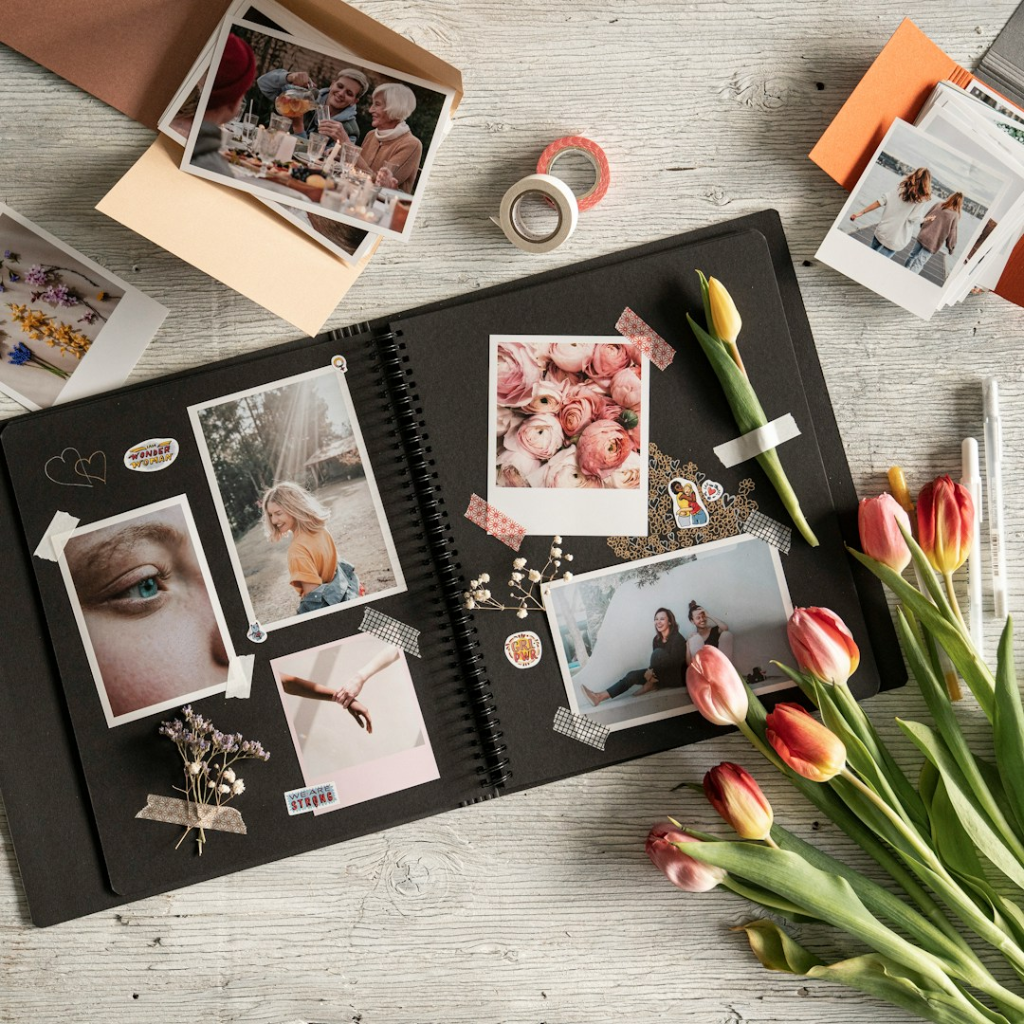
Scrapbooking added another layer. Photographs sat alongside ticket stubs, handwritten notes, stickers or pressed flowers. A page could tell you where you went, what mattered and how the day felt.
Printed photos weren't the only way to preserve a memory, but they offered something a screen doesn't: a keepsake you could hold, annotate and pass around. You can still enjoy that experience alongside a digital collection. If you miss making things by hand, our guide to revisiting craft hobbies has ideas for getting started again.
Social media as a shared scrapbook
Photo-sharing services and social platforms changed who could see our pictures and how quickly we could share them. A relative no longer had to visit your living room to see the vacation album.
Instagram posts, Stories and highlights can help you collect moments and share them with other people. They also encourage you to choose what fits the feed. The ordinary picture you wouldn't post may be the one you most want to keep.
Let your personal collection be broader than your public one. A photograph doesn't need to look polished or attract a response to matter to you.

Decide what to share
Privacy settings can help you limit an audience, but they don't remove every risk. Someone who can see a photograph may save it or share it again. Consider who appears in it and whether they would want it posted, especially when children are involved.
You may prefer a small sharing group, a private account or a printed album. You can also keep some moments just for yourself.
Whatever you choose, keep your originals somewhere you control. Access to an account, a post or a service can change; sharing a photograph isn't a preservation plan on its own. A family photo can also be a reason to get back in touch. Our long-distance friendship guide offers ways to keep the conversation going.

Five ways to keep your collection useful
Make independent backups
Keep copies of your photos and videos in more than one place, such as an external drive and a suitable cloud backup service. CISA recommends backing up important data to a secure external drive or a properly vetted cloud service.
Be careful about the difference between synchronization and backup. For example, Apple explains that deleting a picture from iCloud Photos also deletes it from other devices using the same account. Seeing a photo on your phone and computer doesn't necessarily mean you have an independent backup.
Check that your separate copies contain the files you expect and that you can open them before deleting anything from the original collection. A backup that you have never checked may leave you with an unpleasant surprise when you need it.
Put some pictures on display
A digital photo frame can rotate through images you might otherwise leave on your phone. Aura's app lets invited members contribute photos; Nixplay's features page explains its photo-sharing tools and storage plans.
Check who can see and manage the pictures you upload. Aura says invited frame members have visibility and editing rights, including the ability to add people and remove content. Invite people you trust and review the membership when your needs change.
Before choosing a frame, check the exact model's setup requirements, supported uploads and any subscription or storage limits. Think about who will use it and how they want to add pictures. Keep a separate copy of the photos you send to the frame.
For a family photo display, the Nixplay Modern W10K in Black & Silver is a 10.1-inch touch screen frame. Review Nixplay's current storage and subscription plans alongside the frame before buying.
Manufacturer product photo unavailable.
As an Amazon Associate I earn from qualifying purchases.
View the Nixplay W10K 10.1-inch Black & Silver frame on Amazon
Turn a collection into a keepsake
A photo book gives selected pictures a place on the shelf. Chatbooks offers printed photo books, while Storyworth uses questions to help people write memories that can be bound into a book. These are examples of services with different jobs: one organizes photos into a book, and the other helps someone tell their stories. Check the current plan, printing options and renewal terms before ordering.
You can also assemble your own scrapbook. Choose a trip, a year or a family story, then add the names and details a future reader might not know. A caption doesn't have to be polished to be useful.
Curate without rushing to delete
A smaller selection can make a collection easier to revisit. Pick the photographs you want to print, display or share, while keeping a backed-up archive of the originals.
Don't judge everything by sharpness or composition. An imperfect picture may show a person, place or everyday detail you don't have elsewhere. A little time spent identifying faces and adding dates can make that picture easier to understand years later.

Check a sharing service before trusting it
If you want a private space for family photos, compare who can view an album, who can invite other people and how you can export your files. Read the service's current privacy settings and terms rather than assuming "private" means risk-free.
Ask how you'd retrieve the collection if you stopped using the app. Keep an independent copy so that one service isn't the only home for your photographs.
Keep the originals when you edit
Photo tools can help you organize or change a picture. Keep the original file alongside an edited version, especially if you use tools that alter faces or add details. An attractive edit can be a different image from the one your camera captured.
Back up the originals, share the moments you want to share and give a few favorites a physical place in your home. You can start with a small album or a handful of photographs you would enjoy seeing every day.